
A 3D gallery for every show
Draw your gallery once. Hang each exhibition in it at real size, and let collectors walk through the show on a phone or computer before a crate is opened.
On every plan, with no limit on spaces, walls or furniture. No app, no plugin.
How it works
1
Draw the space
Draw walls corner to corner, or upload your floor plan, set its scale from one wall you know, and let ArtVault find the walls. Add doors, windows, raised floors and furniture, and name each room.
2
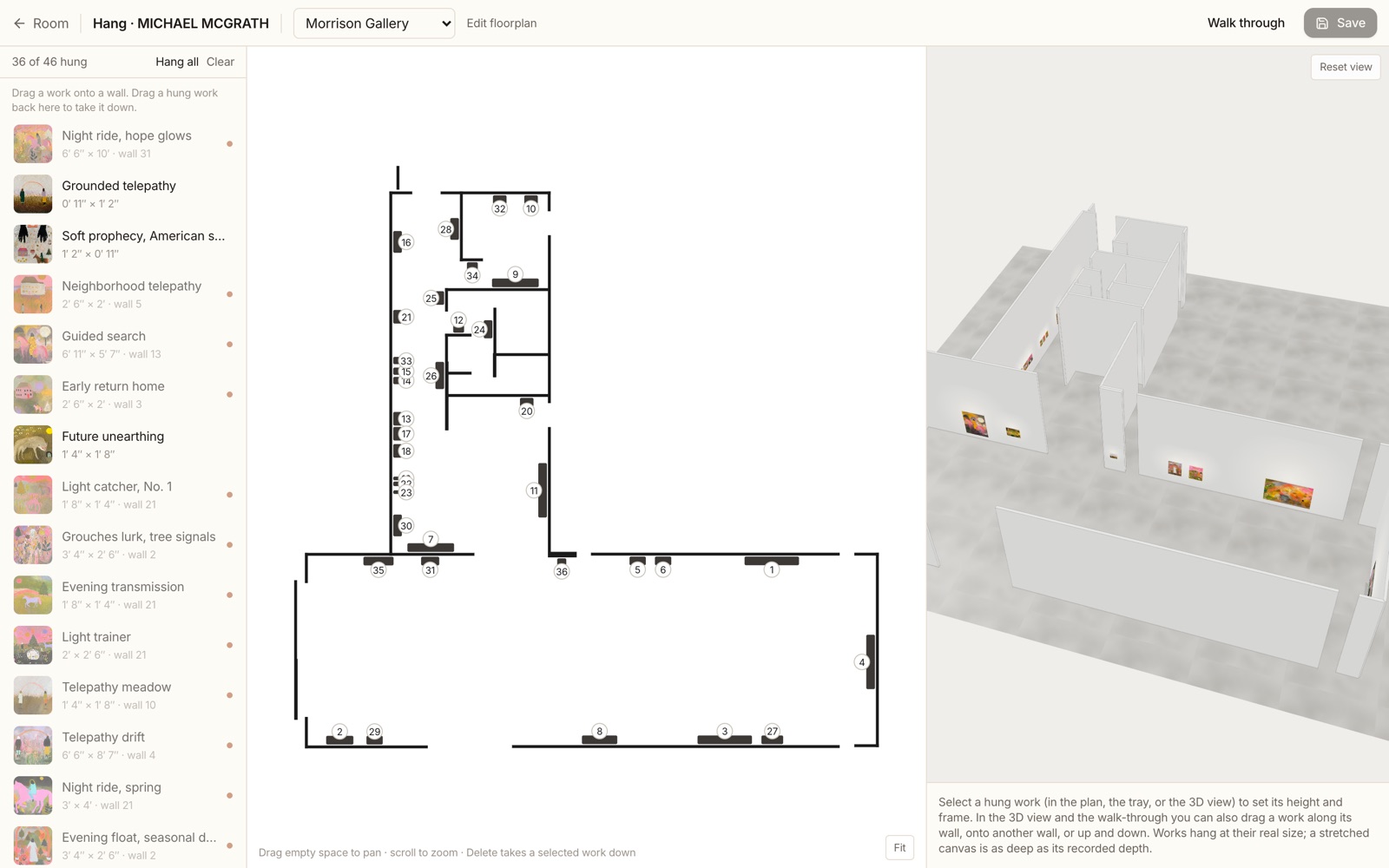
Hang the show
Drag works from the tray onto the walls. They hang at real size and depth, at the centre height you choose, and never over a door or window. Or hang the whole show in one go and adjust.
3
Share the walk-through
The room page and the exhibition page get a Walk through button. Send the link, embed it on any site, put it on a gallery screen, or print the QR code.
The space designer
A floor plan editor made for galleries. Trace a scanned plan or draw from scratch, and the 3D room builds itself as you go.
- Walls snap to right angles, to each other and to a 3 inch grid, with lengths as you draw
- Curved walls, freestanding partitions and walls of their own height
- Doorways, single and double doors, painted, glass or framed
- Windows with a sill, plain or with mullions and rails
- Raised floors and stages with steps visitors can climb
- Benches, desks, plinths, plants, columns and counters from a picture menu
- Rooms with their own names and ceiling heights
- Floors by picture: boards, herringbone, polished concrete, terrazzo, carpet, in any shade
- Baseboards, flush walls or a museum reveal, and one wall colour for the space
0 of 8 hung
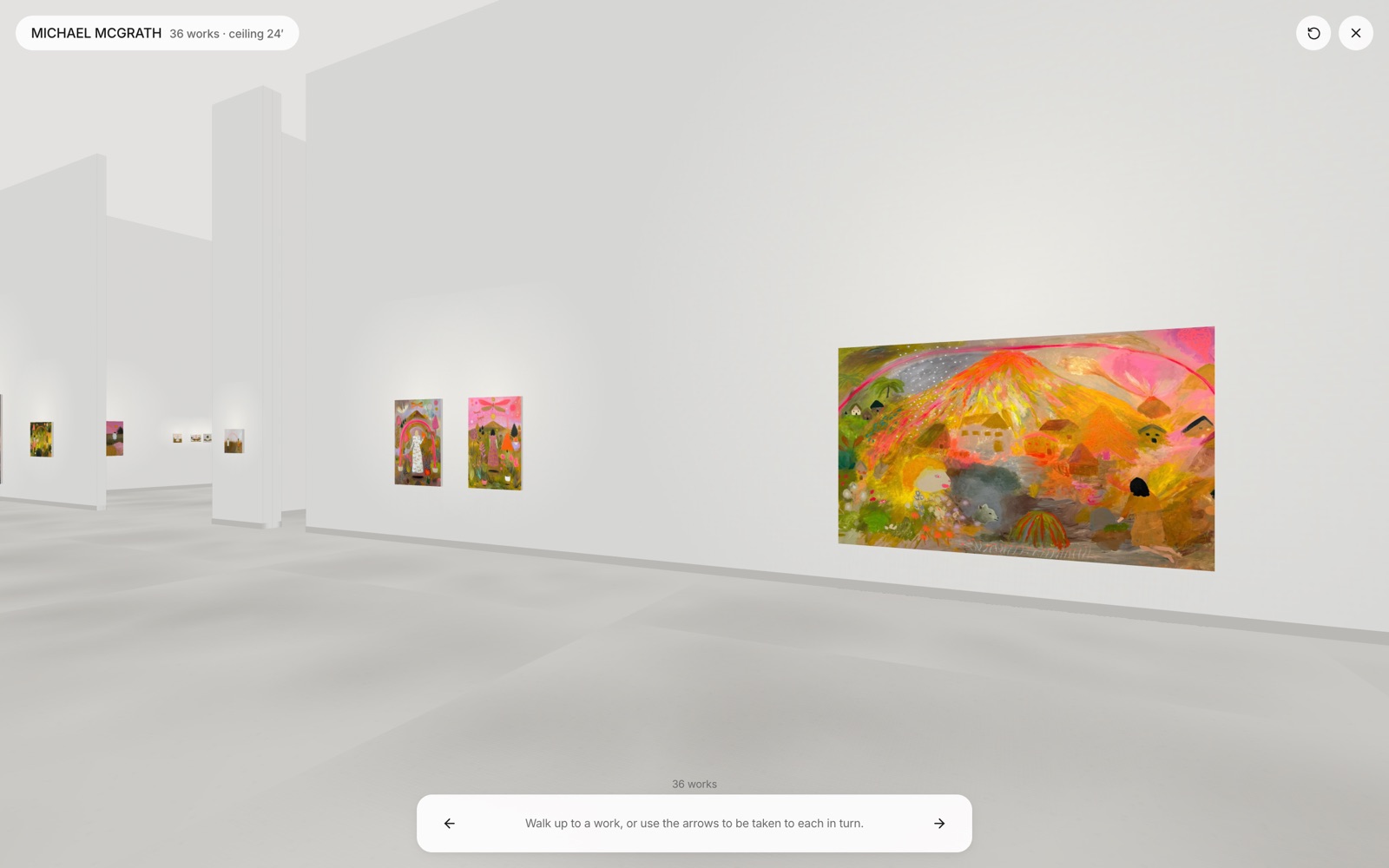
Walk through
Hanging the show
Any viewing room or exhibition hangs in any space. One hanging serves the exhibition page, the viewing room and the walk-through.
- Works hang at real size and depth, snapped to the nearest wall
- The show’s centre height, 57″ museum standard, 60″ or any height per work
- Frames: none, black, dark wood, light wood or white
- Hang the rest fills free walls in order, clear of doors and corners
- Number the show clockwise from the entrance, or click the works in your order
- Wall text in nine typefaces and your logo, with print-ready files for the sign shop
- A 3D view beside the plan that you can orbit or walk while you hang
- Named layouts: the artist can propose a hanging and you choose which one goes live
What visitors see
Set per show, so one space can present two exhibitions differently.
- An intro card with the show’s cover, title and dates
- A label card beside each work, a small info dot, or nothing on the wall
- Choose what the label says: title, artist, year, medium, size, price
- A red dot on sold works, or leave them unmarked
- A guided tour from work to work, at the pace you set
- A plan of the room in the corner, with the visitor on it
- Gallery white, warm or dramatic lighting, and reflections in a polished floor
- View details, Inquire, Purchase and View in your room on each work
Walk through a real show
Soft Signals, hung in ArtVault at Morrison Gallery. It opens in your browser.