
Send us your booth plan. We build the booth in 3D, free.
Showing at an art fair? Upload the plan of your booth and we create the space on ArtVault Works, at its real size, in a 14-day free trial. Hang it with the works you are bringing and send collectors the walk-through before the fair opens. You will receive a link to your booth within 24 hours. Please check your spam or junk folder if you do not receive it.
The fair’s floor plan with your booth marked, the drawing from your contract, or a sketch with measurements.
The walls at their real length and height, open to the aisle where yours is. You will receive a link to it within 24 hours.
Drag the works you are bringing onto the walls at real size, try a second hang, and send collectors the walk-through before the fair opens.
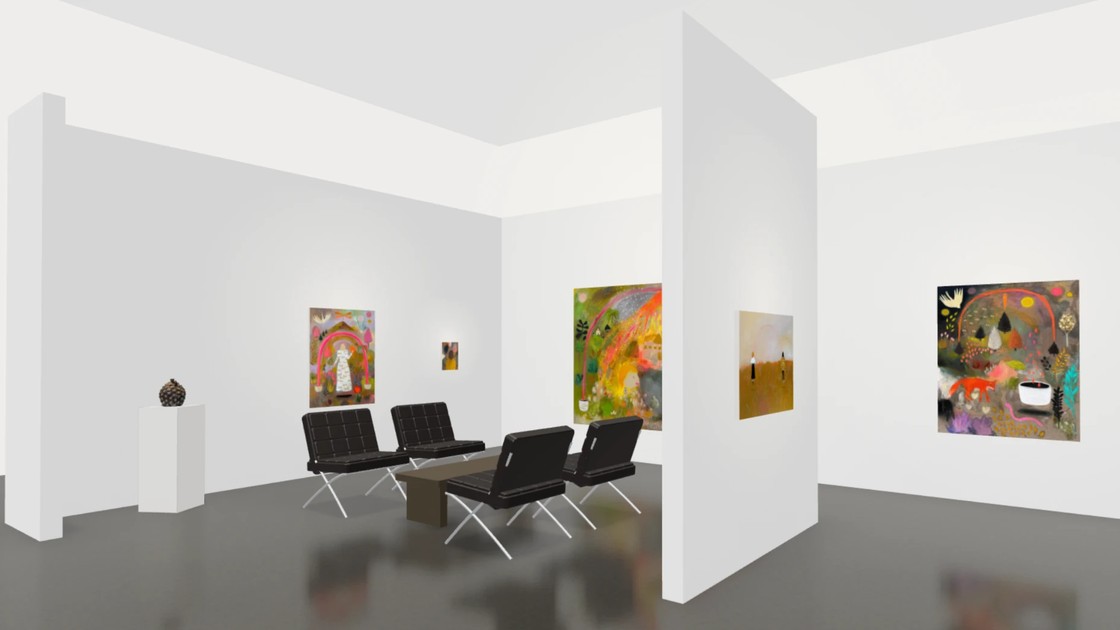
Walk through a finished booth
It opens in your browser.
Plan the booth before the crates ship
The trial is the whole platform: inventory, contacts, sales, website, email and paperwork. After it, gallery plans start at $149 a month billed annually, with unlimited artworks, and 3D spaces come with the Studio Pro and Gallery Pro plans.
Add the works you are bringing, or import your inventory. Drag one onto a wall and it hangs at its true dimensions, so you see what fits before anything is crated.
Works snap to the wall and keep their spacing as you move them, in feet and inches or in centimeters.
Keep each arrangement as a named layout: the opening hang, the rehang after the first sales, a version without the large canvas.
Add a free wall, plinths for sculpture, and the table and chairs. Set the wall color, with an accent wall where you want one.
A scanned sculpture stands on a plinth or in a vitrine, and a 3D wall piece hangs on the wall, as the object itself. The steps are below.
Send the link to your artists, your team and the installers, so the hang is agreed before the truck leaves.
Send the link with your VIP invitations or put the QR code on the booth.
A collector who asks about a work in the walk-through lands in your contacts against that work.
Wall labels, the price list and the packing checklist print from the same records.
The same planner hangs the gallery itself: upload its floor plan, hang the next show at real size and share the walk-through.
Sculpture and 3D wall pieces
01
Get a free scanning app
Scaniverse is free on iPhone and Android. Polycam and KIRI Engine work too, if they export a GLB file.
02
Scan the piece
Put it where you can walk all the way round it, in soft, even light. Walk round it slowly twice, once high and once low, and include the base. Matte surfaces scan best. Glass, mirror and polished metal do not.
03
Export the scan as GLB
In the app, open the scan, choose Share or Export, pick GLB and save it to your files.
04
Upload it to the work
Open the work in your inventory and find 3D model under Dimensions and weight. Upload the file there, up to 50 MB, or scan the code on screen with the phone that has the file. For a relief or other wall piece, tick Three-dimensional piece first.
A standing work goes on a white, black or oak plinth, in a vitrine, or straight on the floor, and you set the plinth height. Without a scan, a sculpture still stands in the booth as its photograph at the right size.